About this program
Program name: SAVS Guard Alerts / Guard Command HQ text alerts.
Operated by: JOEL GALAN JR, doing business as San Antonio Virtual Security, through its guard-management platform, Guard Command HQ.
Sending number: +1 (314) 464-5231.
Who receives messages: Only the company's own security officers and staff members who use Guard Command HQ and who have personally opted in as described below. Messages are operational only — shift and attendance alerts, dispatch notifications, and coverage-gap alerts. No marketing or promotional messages are sent.
Message frequency: Varies with operational events (shifts, dispatch calls, coverage gaps). Message and data rates may apply.
How a member opts in (the call to action)
Opt-in happens inside the Guard Command HQ member app — there is no public web form, and alerts can never be enabled for someone else. Each member completes all of these steps personally, while signed in to their own member account:
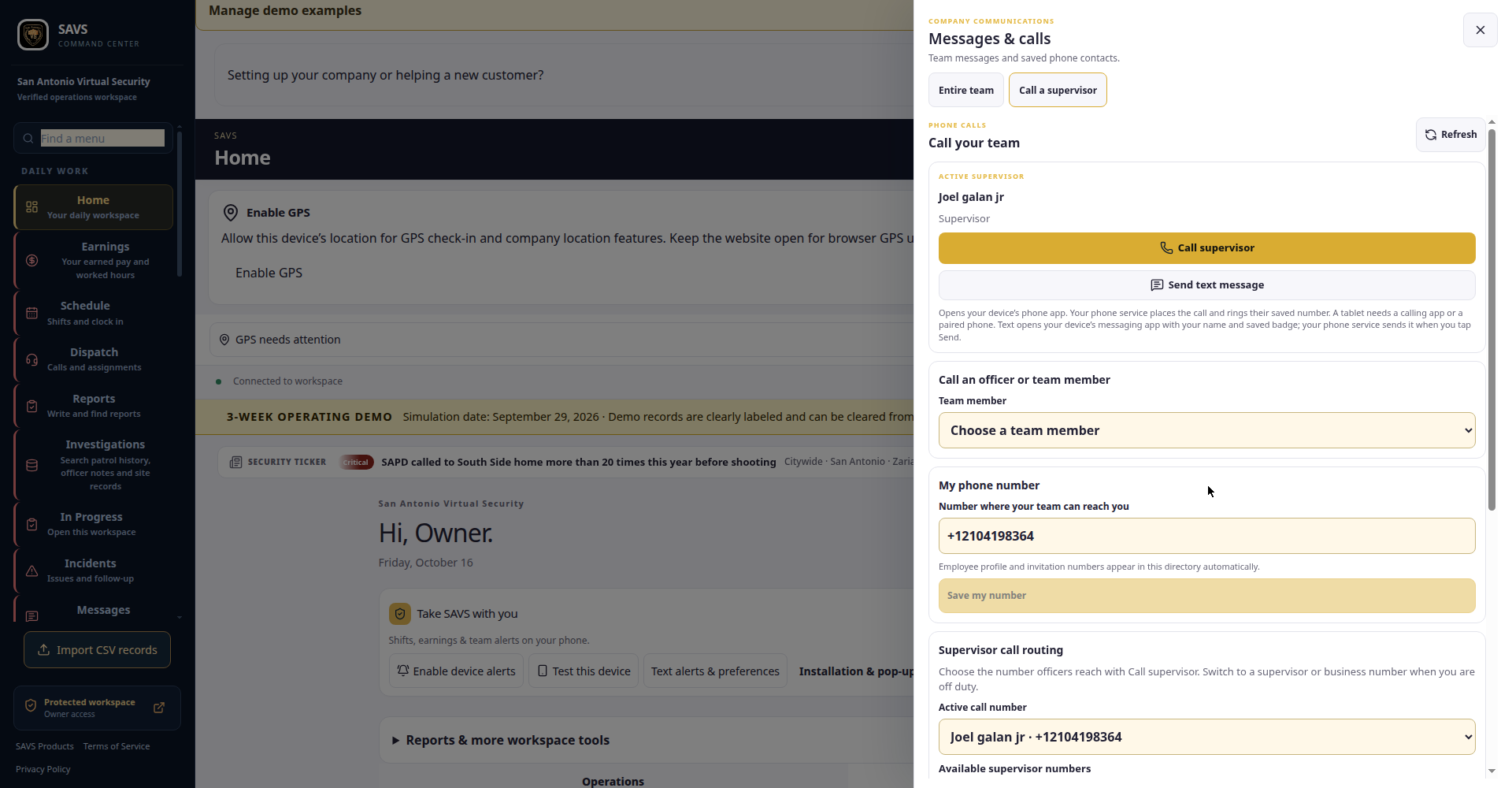
- Save your own mobile number. In the app, go to Messages → Call a supervisor → My phone number and enter the mobile number you personally control.
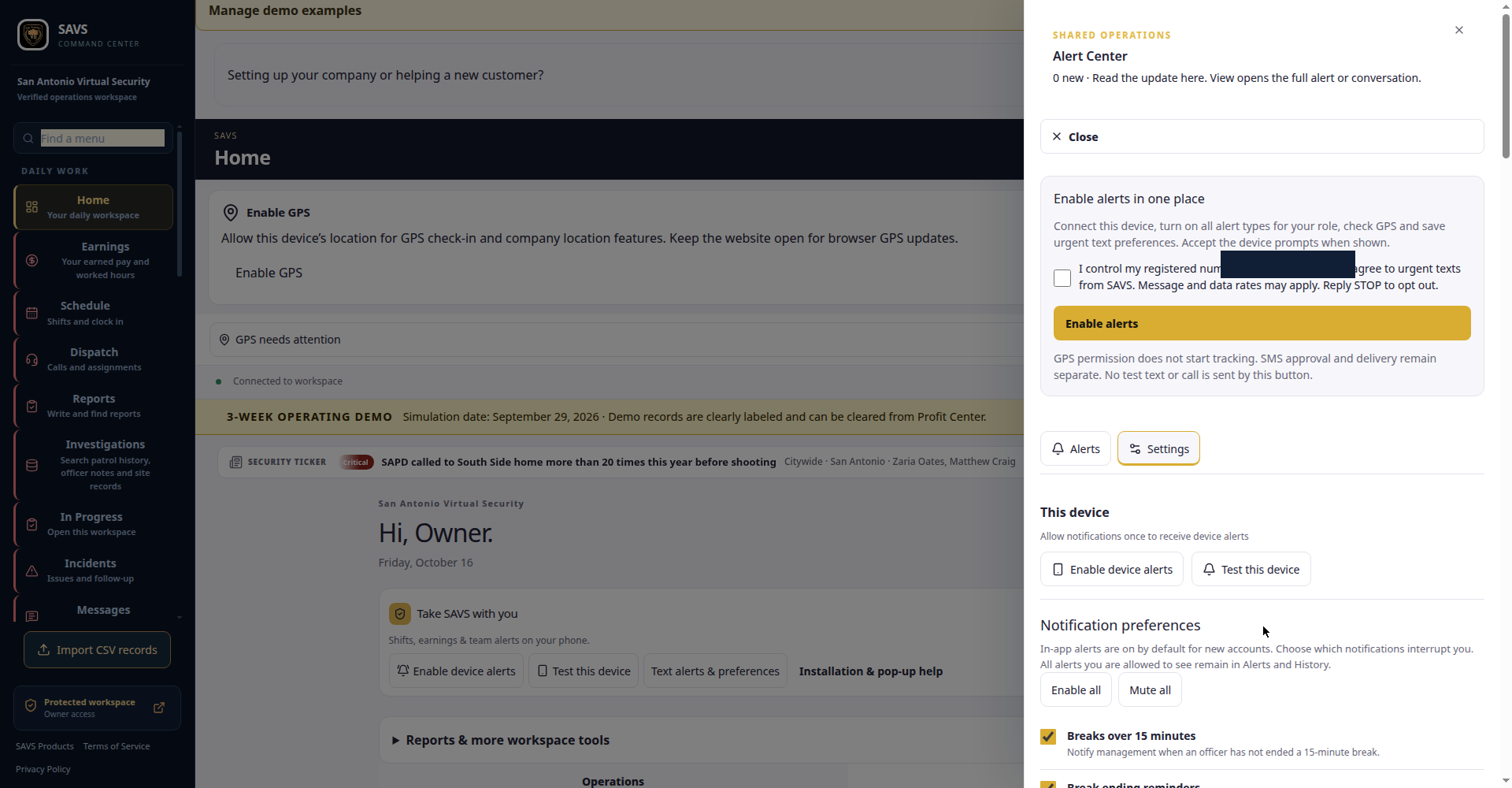
- Open your alert settings. Go to Alerts → Settings ("Your alert settings").
- Give explicit consent. In the "Enable alerts in one place" section, the member must personally check the consent box before anything can be enabled. The box shows the member's own registered number and reads:
"I control my registered number [the member's own number is shown here] and agree to urgent texts from SAVS. Message and data rates may apply. Reply STOP to opt out."
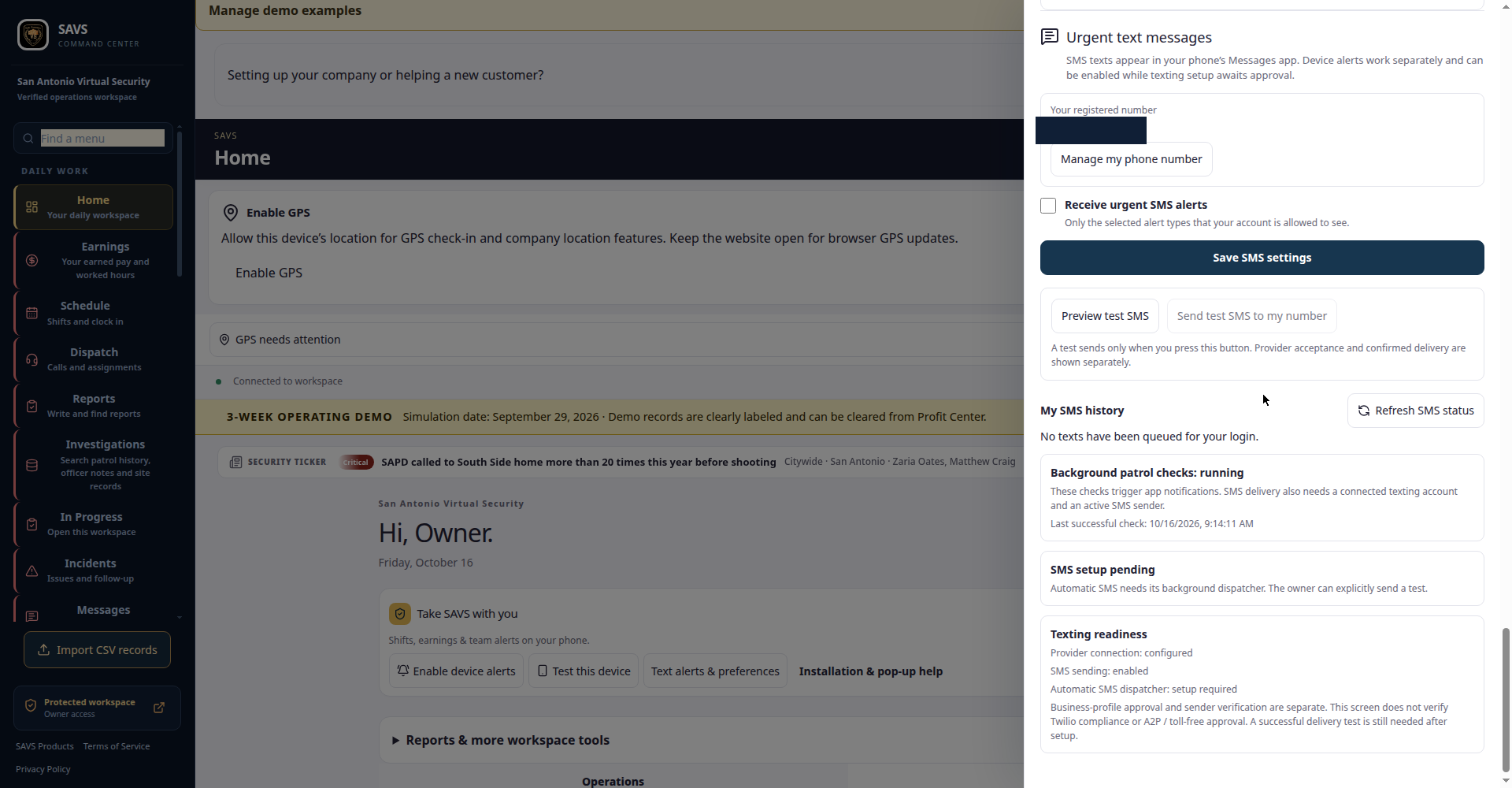
- Confirm the SMS opt-in. In the "Urgent text messages" settings, the member's registered number is shown with a separate "Receive urgent SMS alerts" checkbox — only the alert types the member's account is allowed to see are sent.
- Choose your alert types and save. The member personally selects which alert types they want (Notification preferences — for example, missed clock-in alerts, dispatch notifications, coverage-gap alerts) and saves. Consent is recorded with a timestamp. If the member later changes their registered number, they must give fresh consent for the new number before alerts resume to it.
Sample messages
"SAVS Guard Alert: You have not clocked in for your shift that started at 6:00 PM. Please clock in in Guard Command HQ or contact your supervisor. Reply STOP to opt out."
"SAVS Dispatch: A new call for service is unassigned in your coverage area. Open Guard Command HQ to view and claim it. Reply STOP to opt out."
"SAVS Guard Alert: A coverage gap was detected — a post is uncovered for the remainder of the shift. Supervisors: please check Guard Command HQ. Reply STOP to opt out."
How to opt out / get help
Reply STOP (or CANCEL, QUIT, OPTOUT, UNSUBSCRIBE, STOPALL, REVOKE, END) to any message at any time to stop all further messages. You will receive one confirmation: "You have successfully been unsubscribed. You will not receive any more messages from this number. Reply START to resubscribe." Reply HELP (or INFO) for help. Members can also turn alerts off at any time in Alerts → Settings inside the app.
Privacy
Phone numbers collected for this program are used only to deliver the operational alerts described on this page. They are never sold or shared with third parties for marketing. See our Privacy Policy and Terms and Conditions (Texas DPS License #B31225001). Carriers are not liable for delayed or undelivered messages.
Questions about this program: contact@sanantoniovirtualsecurity.com · San Antonio Virtual Security, San Antonio, Texas.